Connect & sign in
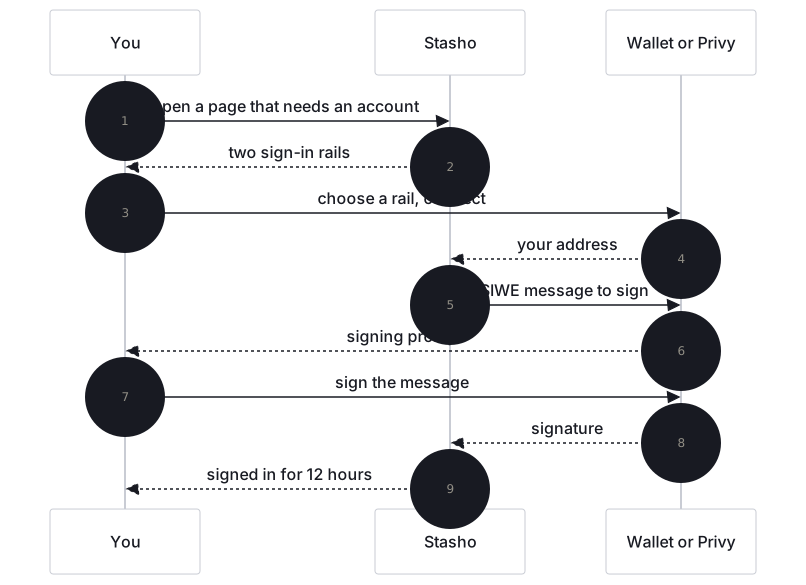
This page explains the two sign-in rails and what happens when you sign in.
Prerequisite: none. This is the first thing you do in the app.
Prompt for your agent
Copy this into Claude Code, Cursor or any agent that can run shell commands. Signing in happens in your browser; the agent guides you through it, then checks the result.
Read https://docs.stasho.xyz/guides/connect-and-sign-in.md. I am signing in to Stasho in my
browser. Tell me what to click and what each signature prompt means, one step at a time, in
the page's words, and wait for me after each step. Never ask for my wallet's private key, my
seed phrase or the session token. When I paste my address, verify the account with
GET https://api.stasho.xyz/api/audit/<address> and tell me what it lists.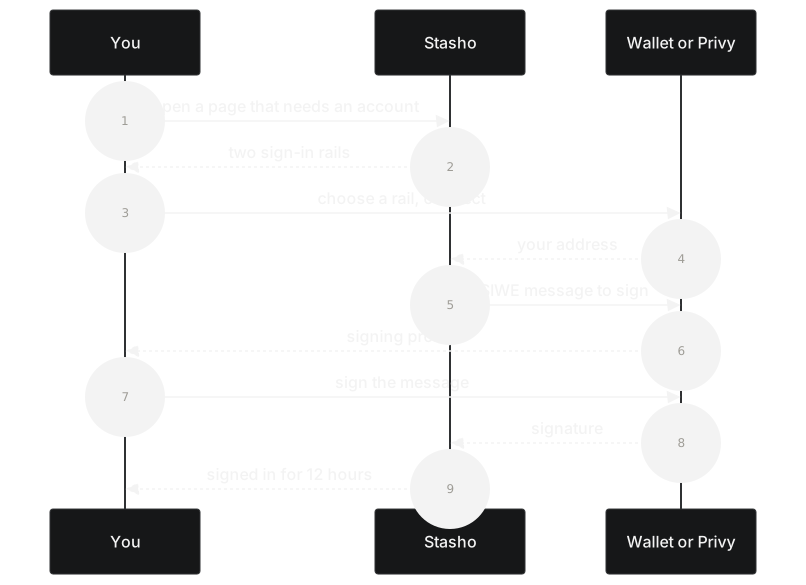
The two rails
| Rail | What it is | What you need |
|---|---|---|
| Connect wallet | Reown (formerly WalletConnect). Works with MetaMask, Rainbow, Coinbase Wallet, and ~400 other Web3 wallets. | A wallet you already have. |
| Sign in with email | Privy. Issues you an embedded wallet held by a TSS (threshold signature) network. You authenticate with email or Google. | An email address. |
The app does not care which rail you use — every project, every deployment, every signature works the same way downstream. Your wallet address (or embedded wallet's address) is the only identifier the app stores.
What you sign in with
Both rails use Sign-In With Ethereum (SIWE, EIP-4361). After you connect, the app shows a SIWE message in your wallet that looks like this:
app.stasho.xyz wants you to sign in with your Ethereum account:
0x1234…abcd

Sign in to Stasho

URI: https://app.stasho.xyz
Version: 1
Chain ID: 1
Nonce: <random>
Issued At: 2026-05-04T12:34:56Z
Sign it. The app sends the signature to its backend, which verifies it and issues a JWT good for twelve hours. After that, you're signed in and the dashboard loads.
No transaction, no gas, no on-chain footprint. The signature is a personal-sign — it never goes to a blockchain.
Why we ask for a signature
The signature proves you control the address. The backend uses that proof to issue a session token (JWT). Without the signature, anyone who knew your address could impersonate you to our backend.
The session JWT lives in your browser's localStorage, so your session survives a refresh, a closed tab, and a browser restart. It expires after twelve hours, after which you'll be prompted to sign in again.
Your encryption key
Project names, repo URLs, and build configuration are stored encrypted on-chain (see Your data on-chain). The key that decrypts them is derived in your browser from one additional wallet signature — you'll see an Unlock prompt on the dashboard the first time a page needs it. Until you sign it, encrypted fields show an "Encrypted — unlock to view" placeholder.
The signature never leaves your browser; it's only used locally to derive the key. Like the sign-in signature, it's a personal-sign: no transaction, no gas.
Verification
You should now see:
- The account menu at the top right of the header, showing your shortened wallet address (
0x1234...abcd) if you used the wallet rail, or your email if you used the email rail - The full address under Settings → Account: Connected wallet, or Ethereum wallet on the email rail
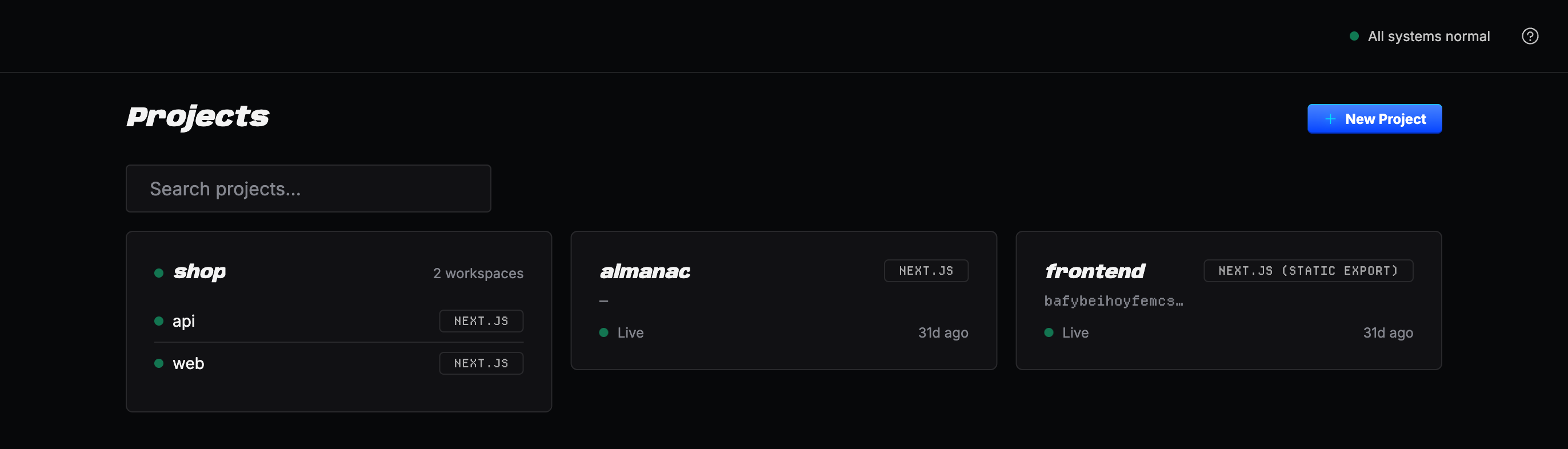
If the account menu is missing, sign in didn't complete — try the rail again.
What can go wrong
| Symptom | Cause | Fix |
|---|---|---|
| Wallet says "wrong chain" | Your wallet is on a chain other than Ethereum mainnet | Switch your wallet to mainnet, then retry |
| SIWE prompt never appears | Browser blocked the popup, or the wallet extension is locked | Unlock the wallet, refresh, retry |
| Sign in succeeds then immediately bounces | JWT expired between requests (rare) | Sign in again |
Working with an agent
An agent cannot sign in for you. Both rails end in a signature from your wallet, in your browser or your wallet app, and the session token stays in that browser. An agent that asks for your private key, your seed phrase or the token in localStorage is asking for more than sign-in needs; refuse it. What an agent does on Stasho on its own, it does with an agent key, which you create once you are signed in.
What the agent hands you, in these words:
Open https://app.stasho.xyz and pick Connect wallet (a wallet you already have) or Sign in
with email. With a wallet, your wallet shows a sign-in message: approve it. It is a
personal-sign, not a transaction, and costs no gas. With email there is nothing to approve:
the dashboard just loads. Then open the account menu at the top right of the header (it shows
your shortened address, or your email), choose Account settings, and copy the full address
under Connected wallet (Ethereum wallet on the email rail). Paste it to me. If a banner reads
"Your data is encrypted", click Sign to unlock and approve that signature too: it only
derives your encryption key, inside your browser.
How the agent verifies it afterwards. Sign-in leaves no trace an agent can read, but the address does. The public audit endpoint answers for any address, with no credentials:
curl -s -w '\n%{http_code}\n' https://api.stasho.xyz/api/audit/$ADDRESSA 200 whose address echoes yours is the check. backendView.cachedProjects is your project count and authorizedSenders.sessionKeys lists every browser key ever authorized under the wallet: 0 and empty on a brand-new account until the first browser key is authorized. Answers are cached for 30 seconds. A 400 Invalid address means the address was mistyped or shortened (0x1234...abcd is the menu's display form, not the address). A 429 (Too many requests) is the endpoint's rate limit of one request per second, shared: wait the Retry-After seconds and run it again.